Copyright Information

Thank you for stopping by my blog! I hope you enjoy the things that I create and share! I do have a copyright on my original creations (see logo on my sidebar below).
If you create and post a creations based off of mine, please refer (with a link) back to my blog. Please do not use my ideas for files, profit or for contests. Thank you!


My Craft Goals for 2015

My Goals for 2015:

1. Update my goals for 2016 in January of 2016 :)
2. Maximize my crafting time!
3. Keep plugging away at scrapbooking photos!!
4. Learn how to Heat Press!!
5. Have fun!


Showing posts with label Celebrate With Flourish. Show all posts

Thursday, March 22, 2012

Easter Bucket


Welcome to the Memories in Tyme Easter Blog Hop.  In this hop you will see cards, layouts, decorations and gifts to celebrate Easter.  You should have arrived from JANET.  If not, please go back to the BEGINNING so you don't miss anything!

For my project today I decorated a bucket with some vinyl for my son.
I started with my Gypsy and found this cute font on 3 Birds on Parade.  It has little birdie feet in the letters ~ so cute!!  I sized the letters to 1.24 inches.

I grabbed the bunny from Celebrate With Flourish and sized it to 4.18 inches.  Because this is for a boy, I left off the top layer with the flourish cut into it.

I cut out 9 eggs from Easter 2010 sized to 1.12 inches.


I loaded up my vinyl on my mat.  I save my scraps for this purpose.

This is my first time cutting vinyl on my new E2.  On my Expression, I set my speed, pressure and blade depth to 3-3-3.  On the E2, you select Vinyl - kiss cut.  Super easy!

I use my dental tool to weed away the extra vinyl....

and the inside pieces.

I carefully placed the pink bunny layer on the green bunny piece.
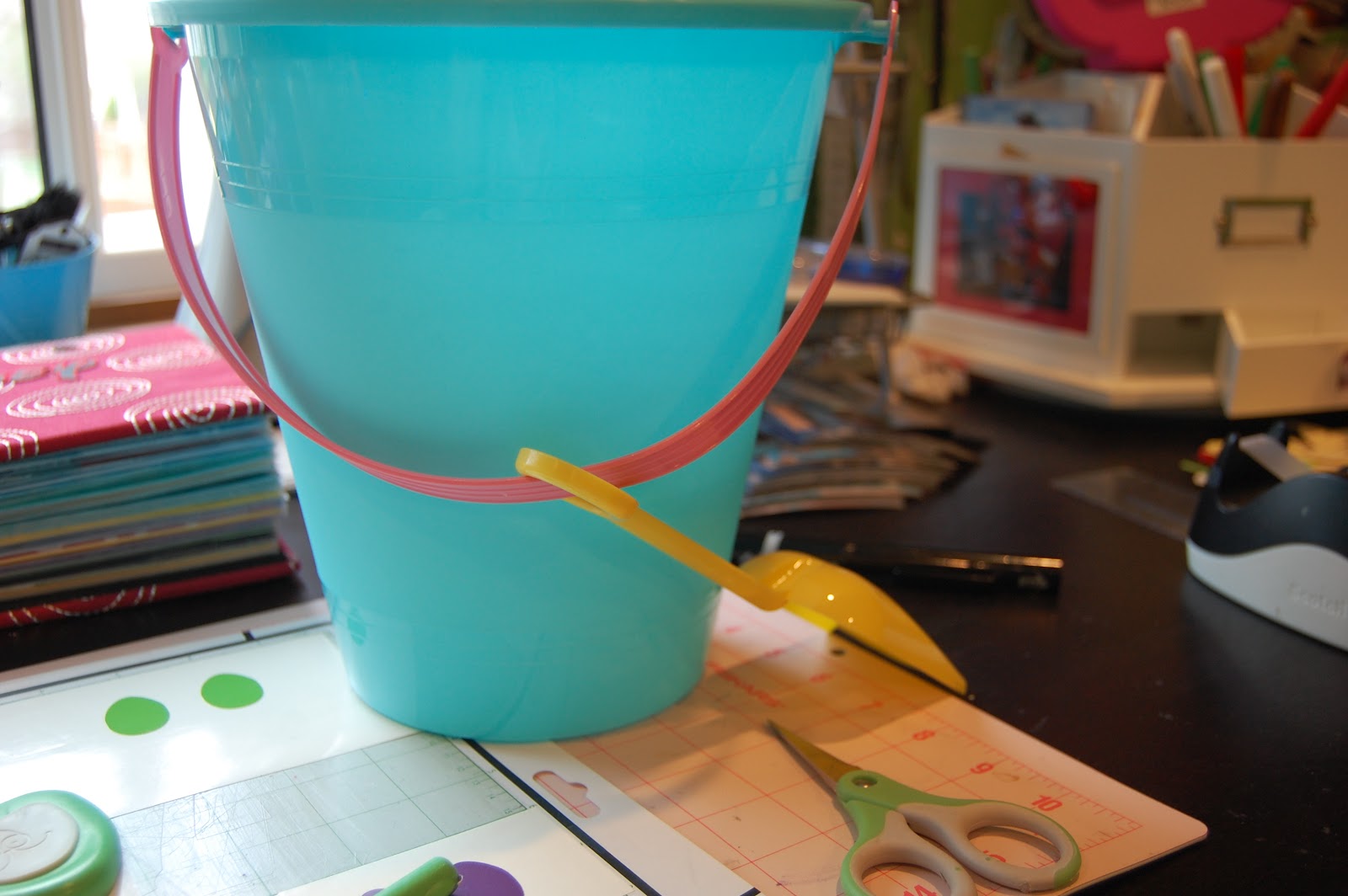
I got my bucket from Michaels for $1.00.

I put Tanner's name on the back of the bucket.

I put the bunny on the front.  I put the colored eggs around the bottom.

Here is the back. If I were making this for a girl, I would add gems to the eggs, flowers and bunny!

Your next stop in the hop is RHONDA.

Thursday, December 9, 2010

A Wreath of Stars

I am double posting today because I am doubly blessed!!!  I am a Guest Designer on two blogs today!  For my Sketches in Thyme post, click HERE.

My Wreath of Stars!

I am delighted to Guest Deisgn for Pam over at thebugbytes today!  My project today is my first Imagine project.  I have not taken the time to get to know my Imagine like I should (darn J O B)!  I found this paper from the Imagine More cartridge and was dying to use it!

I started out by loading George and Basic Shapes in my Imagine.  Once the I finished thinking, I loaded the Imagine More cartridge.  I selected the cricut cartridge symbol in the bottom left hand corner and selected the star from George.

I just tapped it with the stylus (loving the new stylus by the way!) and it appears in the Que.

Then, I tapped the Imagine cartridge shape.

I tapped the star and then tapped the pencil to edit my design.

My color choices appear below (this part is way fun)!

I selected the Sheet Music paper pattern by tapping on it.  I love how it fills in the space according to the size of the image.  The smaller the shape, the smaller the details on the paper.

I changed the size to 3 inches.

Then I selected Apply.


Now I am at the Project Preview screen and I can see my star on the mat.

Since I need a lot of stars, I select the Auto Fill option and get 9 stars per page.

I loaded white paper on my mat and here are my stars ready to go.  I made 27 stars (3 sheets of paper) for my wreath.

Here you can see how small the music notes are ~ they are soooo cute!!

Next, I inked the edges of my stars.  This took a while!


I cut out a circle frame from Lyrical Letters at 10" so I could glue my stars on and actually keep a circular shape!  I left a little space between the stars on the first layer, then overlapped the second layer.

For the last 5 stars, I used pop dots to attach them around the wreath.  I did not pop dot any stars where my bow is going to be.

Here is a close up of the layers.

I found this bow from Celebrate with Flourish.

Here is the bow on the wreath.  It seemed a little flat, so I cut out a second bow and pop dotted it on top.

I added a picture of my 3 stars (I mean sons) to the center.  This is one of the photos on our Christmas cards this year.

I cut out Christmas from the Christmas cartridge and the 2010 from Lyrical Letters.

And here it is all together.  I will make a coordinating "highlight" page with 2" pictures cut from the holiday cards and photos we receive this year!

Have a Wonderful Christmas season and a special thanks to Pam for showcasing my work!!!

Don't forget to check out my {2 cute} post that is featured on Sketches in Thyme today also!! 

Saturday, November 6, 2010

Blog Hop: Thankful for Family, Friends, Freedom & Food Tile

Welcome to the Thankful for Family, Friends, Freedom and Food Blog Hop.  Here is a list of all of the Blog Hop participants.  If this is your first stop, please start at the beginning so you don't miss anything.  Also, this is a 2 Day Blog Hop so come back tomorrow for a second round of projects!

Some of us have Blog Candy as well!


1-TheScrapbookGirl
2-Gigi 
3-Josy
4-Here
5-Fantabulously Pink
6-Jennifer
7-Darcy 
8-Kelly
9-Bugaloo
10-ScrappidyAshy
11-Laura
12-MySimpleCraftyCreations 
13-Mandy
14-Poohbearbaby 
15-Buggin Out 
16-Bits-N-Pieces
17-WamFamily

You should have arrived here from Josy's BLOG.
I have blog candy that you will see below!

I chose to create a 12 x 12 tile decorated with vinyl for my first project of the blog hop this weekend.  I used my Gypsy to line up my three layers.  I wanted a true 12 inch title, so I started my title at the 1" mark and filled it up to the 13" mark.  In order to do this, you need to use a 12 x 24 mat.


Here are the three layers on my Gypsy screen ~ each layer will be cut in a different color.  The title will be yellow and can be found on the Creative Memories Reminisce Accents.  I used Hide Contour to erase the swirl between "this" and "day."  The Turkey can be found on Celebrate With Flourish and will be brown.  The top layer will be a rust red, and the font is from CM Reminisce Accents and the So Grateful is from Calligraphy Collection.

When cutting vinyl on your cricut, you want to remember 3~3~3.  That is Speed, Pressure and Blade settings.  This will give you a nice kiss cut (the blade will only cut through the vinyl, not the backing).

Here is the yellow vinyl for my 12" title. 

I love the dental tool for weeding the extra vinyl away.

You can poke vinyl and pull it right up.

It is helpful to roll up the excess vinyl so it doesn't stick to your design.  It is easy to lose the little pieces  (like dots for the i's) as you roll away.

I use clear contact paper as my transfer sheet.  It is very sticky, so I stick it on my jeans once or twice to take away a little stick!

I use my little scraper from my Cricut tool kit to burnish the design onto the transfer sheet and gently pull it up.


I use the same scraper to burnish the image and transfer sheet to the tile.  Just peel it up slowly, rolling the transfer sheet as you go.
Repeat the process for layer #2.  I use my Fiskars cutting mat to help center my title.

Here is the tile with all four layers on.  This will make a great addition to my living room where my "every day" tile usually sits.

Now on to the Candy!!!  In order to qualify you need to do 2 things.....#1 be or become a follower and #2 leave me a comment that includes at least one thing you are thankful for this year.  I will combine the comments from today's post and tomorrow's post (so you can enter once each day) and draw a winner.


If I reach 300 followers, I will pick 2 winners (I am currently at 285).

Next on the hop is: FantabulouslyPink
