Copyright Information

Thank you for stopping by my blog! I hope you enjoy the things that I create and share! I do have a copyright on my original creations (see logo on my sidebar below).
If you create and post a creations based off of mine, please refer (with a link) back to my blog. Please do not use my ideas for files, profit or for contests. Thank you!


My Craft Goals for 2015

My Goals for 2015:

1. Update my goals for 2016 in January of 2016 :)
2. Maximize my crafting time!
3. Keep plugging away at scrapbooking photos!!
4. Learn how to Heat Press!!
5. Have fun!


Showing posts with label Glossy Accents. Show all posts

Wednesday, August 13, 2014

FireWorks Layout (Let's Scrap)

The sketch challenge this week at Let's Scrap was just perfect for my 4th of July pictures!!

Every year we have a party for the 4th.  As you can see from the top left photo - my husband is the biggest kid when it comes to fireworks!!
You can do one or both pages for the challenge - and even turn or adjust the sketch to fit your pictures!! 
I had been hanging onto both of these paper for a long time!!  I had these darling star shaped paper clips for a while too!  I used Glossy Accents to create a dimensional star with the clips. 
I cut stars out of the striped G45 paper!  These can be journaled on too. 
The fireWORKS title came from the Silhouette store.

The little cutie in this photo is our friend's daughter.  She has been acting shy all baseball season long with my husband.  He purposely sat by the bucket of water for the sparklers she was holding.  Before too long she was high fiving Mike as she put her sparkler in the bucket.  This was better than the fireworks for Mike!
Thanks for stopping by today!  If you want to challenge yourself to scrap your memories you should consider joining the Let's Scrap Community!!


Wednesday, May 21, 2014

Leaf Slide (Let's Scrap)

Hello and Happy Wednesday!!  Today starts a new weekly sketch challenge at Let's Scrap!  This week we have a card sketch, but I turned it into a layout.  That is the beauty of Let's Scrap - you can use the sketches as a guide to create what you want on paper!!

I have been on the Design Team at Let's Scrap for 8 months and have been able to get about 50 layouts done thanks to the weekly challenges and other fun challenges!  If you are looking for inspiration - come check us out!!  Oh yeah, we also have awesome sponsors and prizes!!
Here is the card sketch.  I used a title instead of the sentiment and leaves instead of stars.  Last fall, I raked all of the leaves in a pile at the bottom of my slide and let my daycare kids slide into them!  It was safer than jumping in the pile!  I got some great pics - this one is my Tanner.
I have these awesome wood veneer leaves and took some Glossy Accents and Lindy's Stamp Gang Miracles in Mission Bells Brown and created a paste.  I painted the wood pieces and got a wonderful shiny dimensional finish! 
I cut this polaroid frame from the Silhouette store and trimmed my photo to fit.  I tied some twine around the bottom of the frame and glued a leaf on the knot with Glossy Accents.  The rest of the leaves are cascading down the page. 
I inked the edges of my paper strips and adhered my title at the bottom of the page. 
I have been waiting for the perfect sketch for this photo and now I have the perfect layout for it!!

Thanks for stopping by!!

If you are looking for Lindy's Stamp Gang Miracles, I found mine HERE.

Friday, February 14, 2014

Love is.... (A Challenge and A Tutorial)

Happy Valentine's Day!!!
Today I am pulling double duty - my layout is part of the challenge at Frosted Designs and I am including a tutorial for Let's Scrap.  I am on the Design Team for both groups and happy that I could make this work for both!!

The Challenge is "Love Is..." using the following colors for inspiration:
I used yellow, blue and pink in my layout - very different from most of my Disney Layouts!!

I also followed this Let's Scrap sketch:


For my Let's Scrap Tutorial, I am going to show two techniques for putting titles/words on your project.  It is easy to pick the words you want to use, but not always easy to get them on your project straight and centered.  Before my first Cricut machine, I purposely would put my letters on my layout slanted back and forth because I knew I could not get them on perfectly straight!!

For my first example, I used my Cameo.  I lined up my letters and words on my screen so they cut out the way I want them to appear on my project.
I cut the words at the bottom out of yellow cardstock.
After I pull the paper up....
I have a ready-made template!
I simply lay my template on my page right where I want it.
I use painters tape to hold it in place.  I run my letters through my 1" Xyron to turn them into stickers.  Sometimes I use my fine tip glue pen.
Then I put the letters right in their cut out spots.
Once the first letter or two are in, your template will stay in place.  When the letters are all in, gently pull up the template.
Here is the first line - looks just like I wanted!

Normally, I continue on but I realize that not everyone uses an electronic die cutter with software, so I will move onto technique #2.
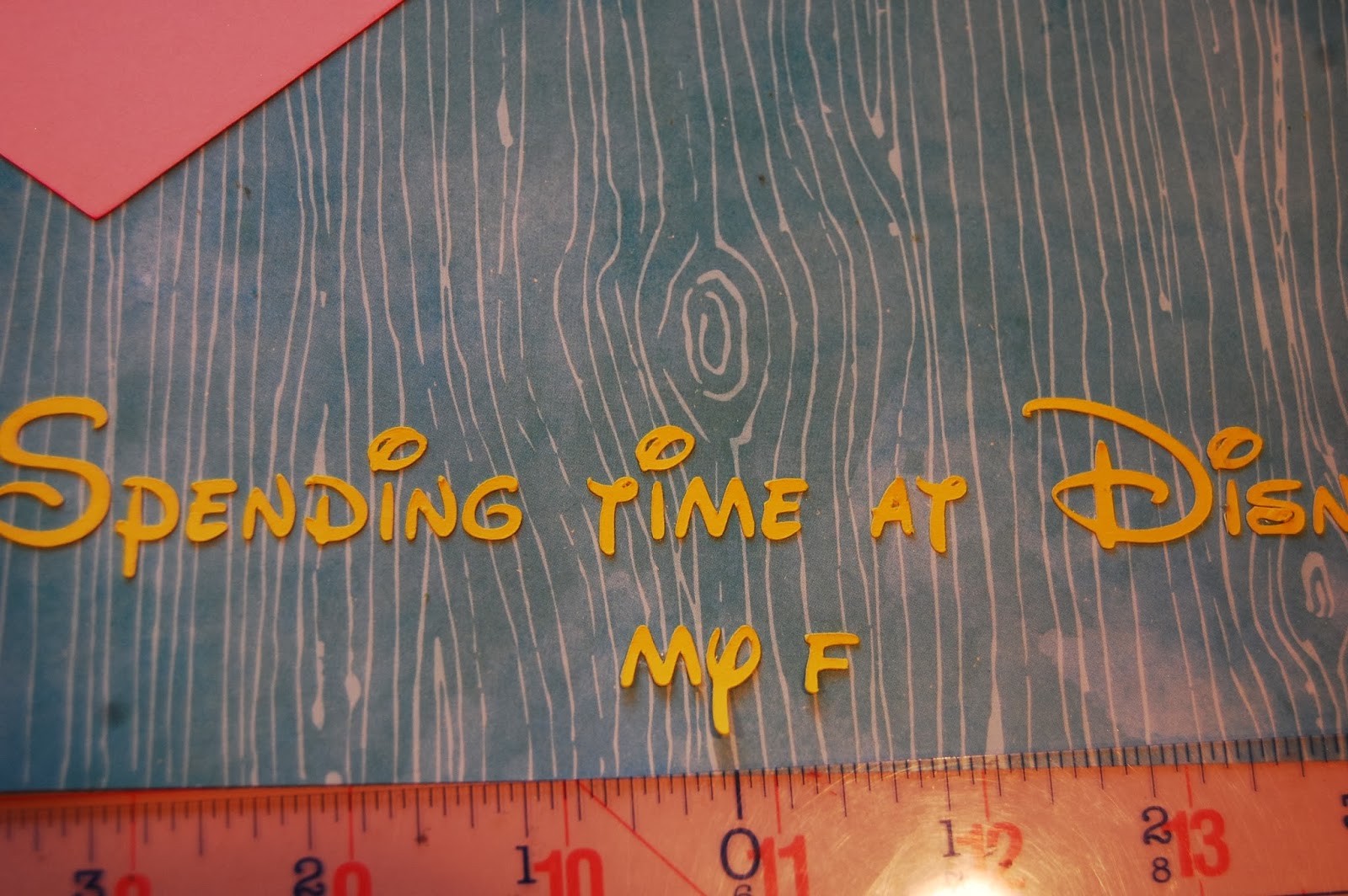
I have a centering ruler that works well with stickers or cut letters that are not nicely arranged on the paper.  Once you know your designated space for a title (or sub-title) you can start at the center and work your way out.
Once you find the center of the space you are putting your words, start in the middle of the title/sentence and put the bottom of the stickers right on the ruler.  I will say that the larger the letters you have, the easier it is to do this!!

Since I am adding the second line, I find the center point of the first line to determine my center.
Gently bend the ruler so the top of the stickers touch the page.  With one hand on the ruler, the other hand holds the letters in place as you gently pull the ruler away (my other hand was on the camera in this shot!!).
This way is a little awkward for me and does take practice but it does help line up the letters straight - something I can not do on my own!!
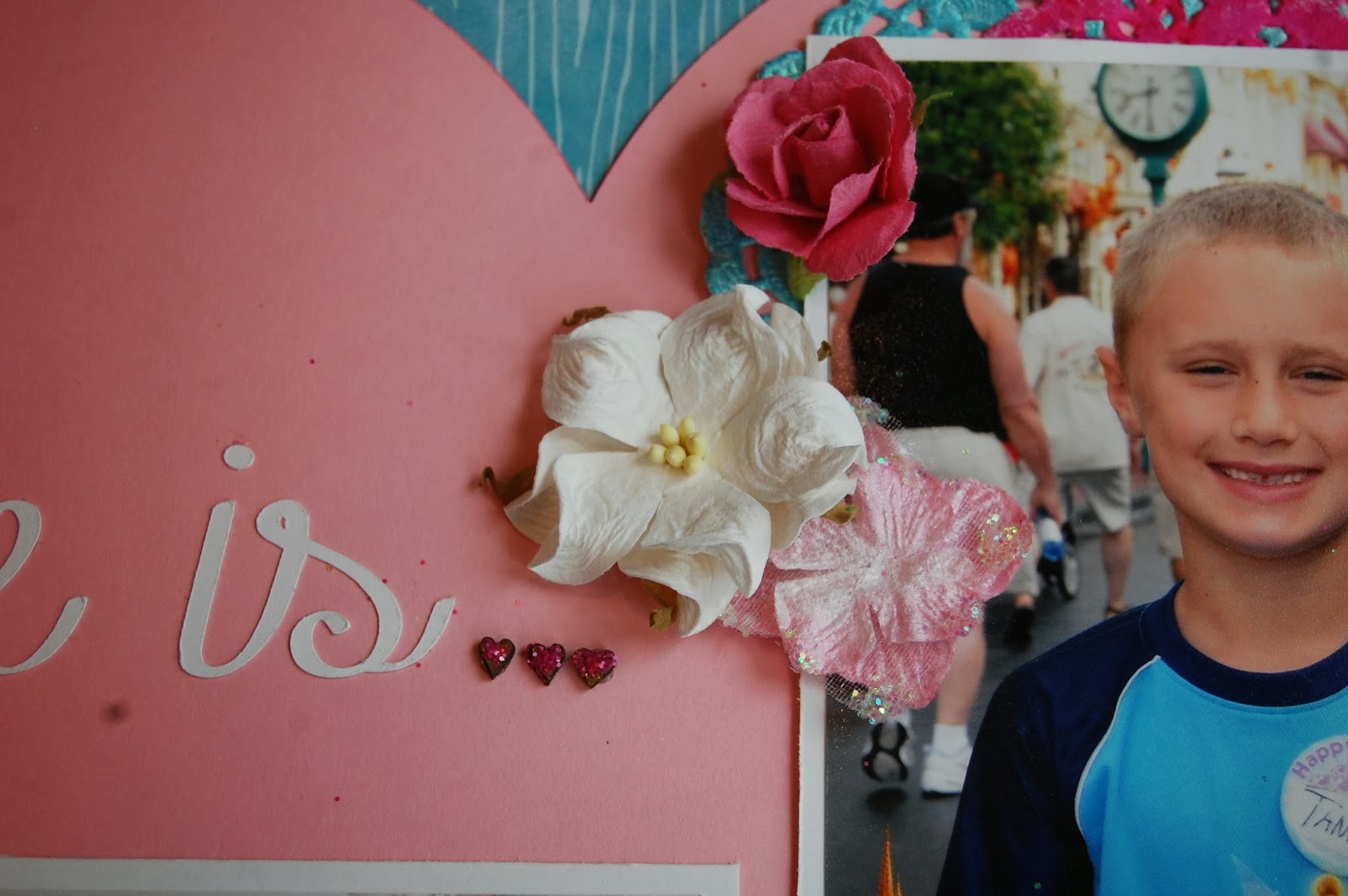
Here I am using the centering ruler to determine the center of my space.  Then I can adhere the "Love is" in place.
Once I got my words on my layout, I added the rest of my pieces.
I inked some doilies with Dylusions Ink (Bubble Gum) and Heidi Swapp mist (teal).  I added some ribbon behind the heart.
I take so many photos at Disney that I had to include this camera paper clip.  I glittered inside the heart using glossy accents and picked raspberry distressed glitter .
I added these flowers and wood hearts with some picked raspberry distressed glitter adhered on top.
Happiness to me is spending time at Disney with my family.  We are currently planning a trip next December and I am super excited!!!  We have never been to Disney at Christmastime!

I hope this tutorial helps!


Friday, May 11, 2012

Cricut Imagine Blog Hop Day 1 ~ Spring/Summer

 Welcome to the Spring Summer Imagine Blog hop! Our sponsor for the hop is Erica's Craft Room, you can find Erica's Craft Room shop here: http://shop.ericascraftroom.com/
Erica is offering a $25.00 gift certificate grand prize for the hop! To be entered in the drawing, please leave a comment on all the blogs with your name and a way to contact you. To help prevent spam, please leave your email address in a safe manner, ie. ssmith at hotmail dot com is best. The winner will be drawn on May 20, 2012. Please check back at any of the blogs on that day. You do NOT need to follow the blogs to be entered, just leave a comment please. Some of the blogs are also offering blog candy and you can check out the details as you hop.


You should have arrived here from My Bug and Me Create's blog. And if you are just dropping by and want to start the hop from the begining please start at Robin's blog here:  http://custom-comforts.blogspot.com/


Here is a complete list of blogs in this hop:


  • custom-comforts at http://custom-comforts.blogspot.com/ 
  • LauraLeesDream at www.lauraleesdream.blogspot.com
  • Cricut Crafty Clare at http://www.cricutcraftyclare.blogspot.com/
  • Scrappin Nanapuddin at http://scrappin-nanapuddin.blogspot.com/ 
  • Janet's Creative World at http://janetscreativeworld.blogspot.com/ 
  • LadyLuvBug at http://www.ladyluvbug.blogspot.com/
  • My Bug and Me Create - http://mybugandmecreate.blogspot.com  
  • ScrappinMyStressAway - http://scrappinmystressaway.blogspot.com/ ***HERE
  • Nana's Scrap Spot - http://www.nanasscrapspot.com/ ***NEXT
  • Scrappin' With Chriss and Lou - http://chrissandlou.blogspot.com/ 


  •  We have three birthdays in our family plus Mother's Day in the month of May, so I used my Imagine to create cards for everyone!!  Well not everyone, as my birthday is in there too!  

    Here are the rest of the cards I made:


    I used Enjoy the Seasons for the first three cards:

    I used the basket of flowers and the bunch of flowers for Mother's Day cards for my sisters-in-law.  My brother's birthday is the day before mine and he loves to grill, so I used the grill.  Bonus it is a charcoal grill which is what he uses!  I printed and cut out all three images.

    For the basket of flowers, I used some 1" flowers from Art Philosophy and my Martha Steward Branches Punch.

    I rolled my flowers with my brand new McGill tweezer and stylus set from my friend Jenny!!!  It was an early birthday present as she was afraid I would go buy it myself!!!
    I glued the branches down first and then the flowers on top.  I tied a purple ribbon around the basket and assembled the card.  Amie likes a little sparkle, so I added some purple gems to the card.
    My brother Kurt is pretty low maintenance but he loves to grill!  I thought this image was perfect for him!

    I inked the edges and layered it on the red mat.  I tied a piece of jute around the red mat and inked that too. I used some Glossy Accents on the smoke for some dimension.  BAM - great birthday card for Kurt (my brother who loves to grill on a charcoal grill)!
    My other sister-in-law is not girlie at all.  I thought the green background was too much so I decided to add a little pink....

    I used my Martha Steward lace punch on one edge and ran some twine across the pink paper.  I turned the card horizontal and pop-dotted the image over the top of the pink paper.  I left off the bling and glitter because I was afraid I would over do it and that is not Windy's style.

     
    Windy also has a birthday this week.  I used Imagine More Cards for the Happy Birthday cake image.

    I printed and cut out the cake.  I found some pink shimmer cardstock from my stash.

    I inked the edges with vintage ink and added a blue bow as blue is her favorite color.  I did add some glitter frosting on the cake.  I used stickles on the candle and flame also.
    I do have a Mother's Day card that I made from my Imagine for my step-mom HERE if you want to see yet another card!!

    Be sure to come back tomorrow to see a fun note pad I embellished with my Imagine!!


    Thanks so much for stopping by!!  Your next stop is Nana's Scrap Spot!